Poetrade is an essential tool for Path of Exile players who want to trade efficiently and improve their gameplay. In this comprehensive article, you’ll learn everything about using Poetrade—from getting started and mastering advanced trading strategies, to troubleshooting common issues and comparing it with other trading platforms. Whether you are new to PoE or looking to refine your trading skills, this guide is designed to help you trade smarter and enhance your in-game experience.
What is Poetrade?
Poetrade is a powerful trading tool for Path of Exile players, allowing you to easily search for, buy, and sell in-game items with other players. Whether you’re a beginner or a seasoned veteran, mastering Poetrade can dramatically improve your trading efficiency and overall game experience.
How to Trade in Path of Exile
Trading in Path of Exile can seem confusing, especially for new players or those encountering odd trade interactions. This updated guide walks you through the full process of buying and selling items, practical etiquette, and helps you avoid common mistakes and scams.
How to Buy Items
-
-
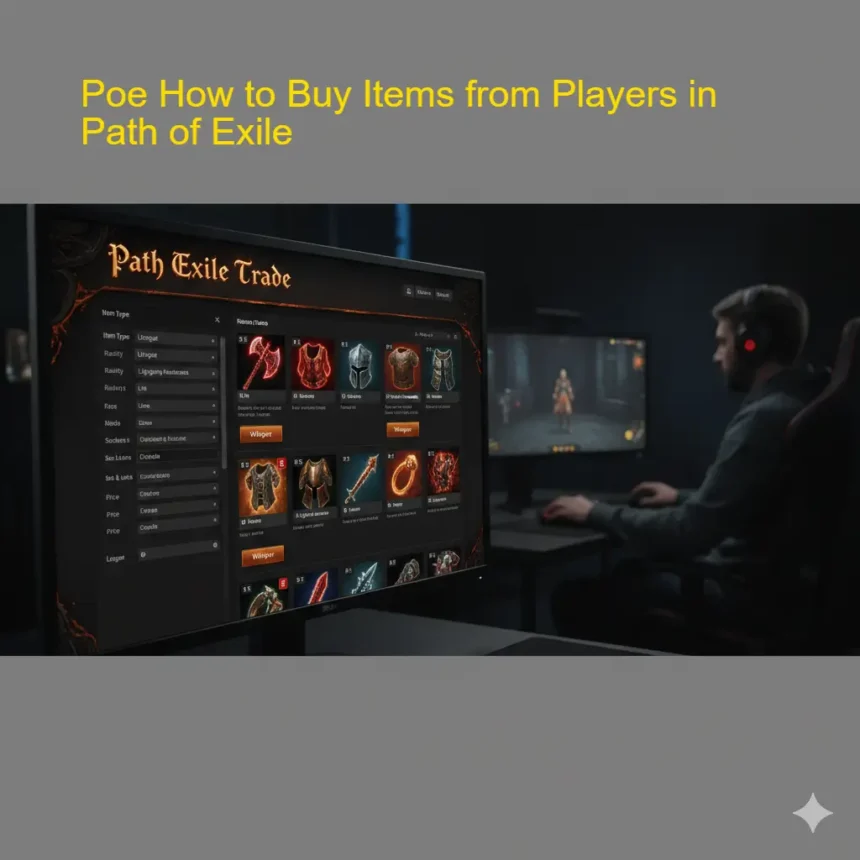
- Use the official trade site: Poetrade
- Enter your item’s details and search.
-
-
- Press the ‘direct Whisper’ button next to the item. This copies a message—paste it into the in-game chat.
- Wait for the seller’s invite. Don’t spam them; sellers may be busy or in combat.
-
-
- Have the correct currency ready. Pay with the exact currency listed (usually chaos or divine orbs).
- For non-round prices (like 2.3 divines), convert the decimal to chaos orbs. Example: If 1 divine = 174c, 0.3 divines ≈ 52c.
- Join the Seller’s Hideout
-
-
- Accept the party invite and join the seller’s hideout (or their current town, if no hideout).
- Stay in their hideout—don’t move between areas.
-
- Wait for the trade request.
- Double-check the item and currency before accepting.
- Thank the seller and leave the party.
Tips:
- Use [CTRL]+right-click to move all currency, [CTRL]+left-click for single stacks.
- You can barter, but only on expensive items or if the listing says “negotiable.”
- Use it if you want to check what the seller is doing.
How to Sell Items
-
-
- Place the item in a premium stash tab. Right-click to set a price and make the tab public.
-
-
- You’ll get trade whispers from buyers. Invite them to a party.
- Wait for them to join and come to your hideout or meet in a town area.
- Prepare the Item and Trade
-
-
- Move the item to your inventory before the buyer arrives.
- Send a trade request, and verify the currency using [ALT] for an automatic count.
-
- Thank the buyer, complete the trade, and remove them from the party.
Tips:
- If you get a flood of requests, your price may be too low.
- If you’re busy, you can set your status to “do not disturb.”
- You can price entire stash tabs or use bulk pricing (e.g., 10/5 for 10 items for 5c).
How to Use Poetrade: Step-by-Step
Trading with Poetrade is simple once you know the basics. Here’s how you can buy and sell items efficiently:
- Search for Items: Enter keywords, item types, mods, and your ideal price range in the search bar.
- Analyze Results: Sort listings by price, seller status (online/offline), or item stats to find the best deal.
- Contact the Seller: Click the “Whisper” button next to the item you want. This copies a trade message—paste it directly into the Path of Exile chat to contact the seller in-game.
- Complete the Trade: Meet the seller in-game, verify the item stats, and complete the exchange safely.
- Leave Feedback: Share your experience or report issues to help the community.
- Quick Troubleshooting: Can’t find your item? Adjust your filters, broaden your search terms, or check during peak player hours for more listings.
Poetrade vs Official Trade Tools
|
Feature
|
Poetrade
|
Official Trade
|
PoeOverlay
|
|
Custom Filters
|
Yes
|
Yes
|
Yes
|
|
Real-Time Updates
|
Yes
|
Yes
|
Yes
|
|
Overlay Support
|
No
|
No
|
Yes
|
|
Community Reviews
|
Yes
|
Limited
|
Limited
|
|
User Interface
|
Simple
|
Advanced
|
Overlay-Based
|
Advanced Trading Tips
Want to maximize your trading success with Poetrade? Here are some expert tips:
- Use Price Checkers: Install browser extensions or overlays like PoE Overlay to quickly check item values and prevent overpaying.
- -Negotiate Respectfully: Avoid lowball offers—fair trades help you build a good reputation in the community.
- Stay Safe: Always double-check item stats and currency amounts before confirming trades.
- Track Market Trends: Monitor prices for popular items in each league and adjust your listings for maximum profit.
Troubleshooting & FAQs
Is Poetrade safe to use?
Yes, Poetrade is widely used and trusted by the community. However, always protect your account information and avoid sharing sensitive details.
Why isn’t my item showing up?**
Make sure your stash tab is set to “Public” in Path of Exile. Only items in public tabs are visible on Poetrade.
What are some Poetrade alternatives?**
Other trading tools include PoeOverlay for in-game overlays and the official Path of Exile trade site for more advanced search options.
Essential Trading Etiquette
- The buyer should travel to the seller’s hideout—“the dog comes to the bone, not the bone to the dog.”
- Be patient: Sellers might be in the middle of a boss fight or map.
- Always check the trade window for scams (item switching, currency switching).
- Avoid spamming skills in hideouts during trades; it’s distracting.
Common Issues and How to Avoid Scams
- Connection Issues: If you can’t join a hideout, message the other person and try switching who invites whom.
- Currency Splitting: Prepare your currency stacks ahead of time—splitting during a trade slows things down.
- Item/Currency Swapping: Always recheck items and currency if the trade window is closed and reopened.
- Impatient Buyers/Sellers: Use to avoid trade requests when busy.
Useful Trading Commands and Shortcuts
- See what another player is doing.
- Set “do not disturb” mode with a custom message.
- [CTRL]+right-click — Move all currency in a stack.
- [CTRL]+left-click — Move single stacks.
Recommended Tools and Resources
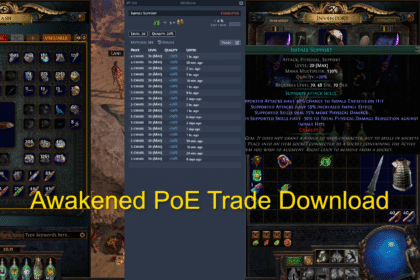
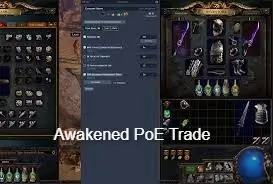
- Awakened PoE-Trade: Browser extension for faster price checks.
- Overwolf PoE-Overlay: In-game overlay for trading and price checking.
- WealthyExile: Bulk pricing and mass selling tools.
- Bulk Selling Guide: See maxroll.gg for advanced selling techniques.
Final Tips
- Don’t expect sellers to deliver items to you unless they offer.
- Trading is mostly about patience and politeness—be kind!
- Always keep your stash tabs organized and set to public for trading.
- If you’re new, practice with low-value trades first.
- Selling is better than letting items rot; gradually lower prices until items sell.